Showing posts with label Email. Show all posts
Group Mail Address using MSOUTLOOK
1. Open Email through Ms Outlook

2 Select Contacts and Click it.

3. Action menu and New Distribution List click

4. Type Name which means Group name and click Select Members

5. Type name or Select from list and Click Members button, then press OK button.

6. Save and Close button Click

1. Open your word document type your topics and save it.

2. Click File on the menu bar.

3. Select send to - Mail Recipient.

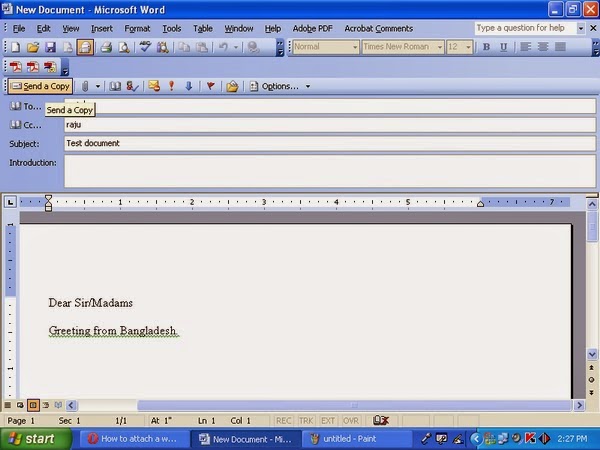
4. Above your word document you should now see an email
tool bar that is full of
icons that you
are used to seeing in Outlook. Just fill it out as you would to send
any email.

5. When you are done filling address line and the SUBJECT click to
send your email.
Remember:
Your word document will be turned into an email automatically.
The recipients will not need to open it as an attachment or anything. The
size of the file will also be smaller which will help those who have full
mailboxes.


